
Eight Christmas Sweater Styles: Save the Selected Look
Open each Style 1–8 option, save the image associated with the style you want, and then choose S, M, L or XL. Instyle Menwear’s selector uses numbered style labels, so a visual note is more reliable than trying to remember “the reindeer one.”
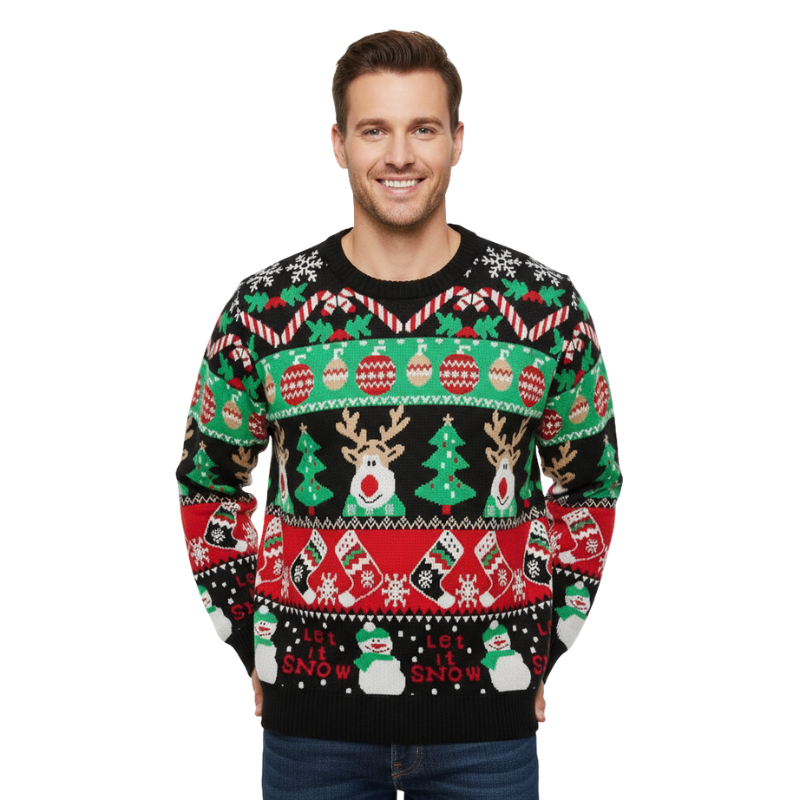
What should the style record contain?
- The exact numbered label shown by the selector
- A screenshot of the image displayed after selecting it
- A short motif note, such as “reindeer and trees”
- The date checked, because current options can change
Do not assign the pictured sweater to a specific style number unless the live selector visibly makes that connection. The image establishes one design in the product’s attached image set, not the mapping for all eight labels.
| Decision | Current choices | Best evidence |
|---|---|---|
| Style | Style 1–Style 8 | Selected option plus its displayed image |
| Size | S, M, L, XL | Current measurement chart |
| Motif preference | Visible artwork | Screenshot and short description |
How do you use the size field after choosing a look?
Compare the measurements requested by the current chart with a garment or body measurement taken in the same way. A festive motif does not change that process, and an alpha size from another sweater is not proof of equivalence.
What does this image confirm?
It confirms one crew-neck, long-sleeve visual arrangement with multiple Christmas motifs and text. It does not prove fabric composition, warmth, fit, or which numbered style is selected. Keep those claims separate from what is visible.
For a group event, collect each person’s saved style image and size note in one list. The numbered labels can then be checked without forcing everyone into the same design. A shared list also makes it easier to spot when two screenshots show the same artwork under accidentally different notes.
Review the live selector on the Funny Christmas Party Pullover Sweater product page and save the exact look shown for your chosen style before checkout.